Dead Frontier 2
Table of Contents
Game Description
Dead Frontier 2: The Ultimate Survival Horror MMO Guide
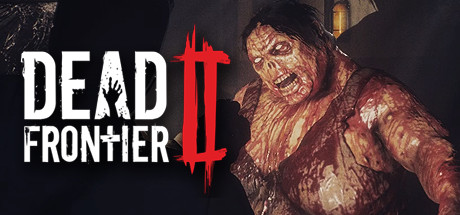
Dead Frontier 2 is a dark, atmospheric massively multiplayer online (MMO) game that plunges players into a decaying post-apocalyptic world infested with the infected. Released on July 15, 2019, by Creaky Corpse Ltd, it serves as the 3D successor to the original cult-classic browser game, focusing on a more grounded, “old school” survival horror experience.
Dead Frontier 2 – Game Overview
| Feature | Details |
| Publisher | Creaky Corpse Ltd |
| Developer | Creaky Corpse Ltd |
| Release Date | July 15, 2019 |
| Genre | Survival Horror MMO, Action RPG, Indie |
| Platforms | PC (Steam) |
| Price | Free-To-Play |
Survive the Ruins of Fairview: Game Description
In Dead Frontier 2, you are one of the few survivors of an outbreak that has left society in ruins. The game emphasizes resource management, tactical combat, and a realistic player-driven economy.
Atmospheric Survival Horror
The world is dark and oppressive, where ammo is scarce and every shot must count. Unlike high-action shooters, the gameplay loop focuses on scavenging expansive, ever-changing abandoned buildings for rare equipment and vital supplies like medicine and food.
Deep Character Customization
Players can create unique builds by selecting from a vast array of skills and perks. Whether you want to be a master of melee to conserve ammo or a heavy-hitting sharpshooter, the perk system allows you to tailor your survivor to your preferred playstyle.
Multiplayer and Player Economy
- Player-Driven Market: Trade resources and gear with others in a realistic economy where prices are set by the community.
- Co-op and PvP: You can choose to be a “lone wolf,” work together in online co-op, or settle scores in gripping PvP combat.
- Procedural Elements: The interiors of buildings and loot locations shift, ensuring that scavenging runs remain unpredictable.
What are the System Requirements for Dead Frontier 2?
The game is designed to be accessible to various PC builds, though high-level graphics settings require more modern hardware to maintain a smooth frame rate.
Minimum System Requirements
- OS: 64-bit Windows
- Processor (CPU): Intel Core i3 or AMD FX
- Memory (RAM): 8 GB (Note: Some sources indicate 6 GB as the absolute minimum)
- Graphics (GPU): Radeon HD 8550 or equivalent
- DirectX: Version 9.0
- Storage: 8 GB available space
- Note: Minimum specs will likely require Low or “Potato” graphics settings.
Recommended System Requirements
- OS: 64-bit Windows
- Processor (CPU): Intel Core i7 or AMD Ryzen 7
- Memory (RAM): 16 GB (12 GB for High settings without maximum effects)
- Graphics (GPU): GTX 1050 or equivalent with at least 4GB to 6GB dedicated memory
- DirectX: Version 11
- Storage: 8 GB available space
Dead Frontier 2 Common Questions (FAQs)
Q: How do I heal or repair my armor?
A: Healing is done through medical supplies found while looting, such as bandages or medkits. Armor repairs often require specific materials or visiting a specialist in safe outposts.
Q: What is “Aggro” and how does it affect me?
A: “Aggro” refers to the level of aggression zombies have toward you. Loud weapons (like shotguns) increase aggro, causing more zombies to spawn and move faster toward your location. Melee weapons generate the least aggro.
Q: Can I lose my items if I die?
A: Generally, items in your inventory are safe upon death, but you may lose a portion of your current experience (EXP) and money. This encourages careful exploration and returning to outposts frequently to secure your gains.
Q: Why can’t I see my friends in the game?
A: Dead Frontier 2 uses an instanced world map. To play with friends, you typically need to be in the same party or ensure you are in the same instance of a specific city block or building.
Q: Is there a fast travel system?
A: You travel between major locations using your car. While there isn’t a traditional “instant” fast travel, upgrading your car can reduce travel time across the post-apocalyptic map.